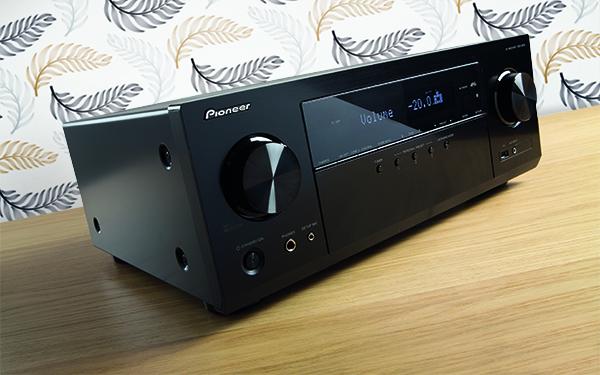
We have tested the Denon HEOS multiroom APP!
The Denon brand is best known for its award-winning AV receivers and amplifiers, but that’s not all.
The company offers a wide range of products – from speakers to subwoofers, amplifiers to wireless speakers – all of which can be connected to HEOS ’multi-room system.
The HEOS App
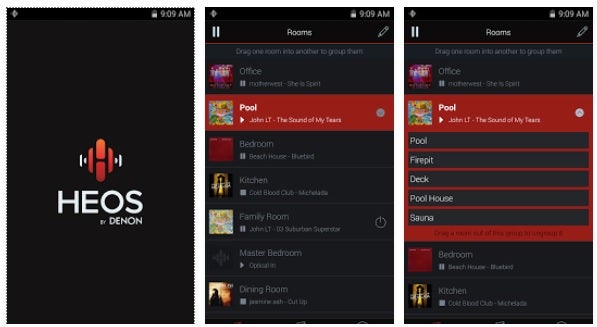
HEOS (Home Entertainment Operating System) is a wireless multi-room sound system from Denon you will find installed on electronic products such as Denon and Marantz wireless speakers, receivers / amplifiers and other audio products. The software is free to download and compatible with iOS and Android smart devices, it requires a home WiFi network to operate.
-
 Parametric Wall Art Panel (Diffuser)327 € – 426 € +Vat
 -
Wood Acoustic Diffuser 60x60x6cm108 € – 140 € +Vat


HEOS is also capable to stream music from the following music provider services: Amazon Music, Deezer, iHeart Radio, Pandora, Mood Mix, Napster, Sirius / XM, SoundCloud, Spotify, TIDAL. Bluetooth or Wi-Fi can be used for this purpose, but using Wi-Fi also allows you to transfer uncompressed music files, which is of better quality than music streamed via Bluetooth. Supported digital music file formats are: MP3, AAC, Apple, DSD, Flac, wav, WMA.
Not only can HEOS play online music services and digital music files, if you have a HEOS-compatible home theatre amplifier, it will also play and stream music from connected sources (CD player, turntable, etc.) to all wireless speakers connected via HEOS.
HEOS stereo
The HEOS also performs very well with a pair of stereo speakers. For the best sound quality, be sure to have both speakers of the same brand and performance.
HEOS and Surround Sound
The HEOS is also suitable for wireless surround sound transmission if you have a compatible speaker or home theatre receiver. Any HEOS-compatible wireless speakers can be integrated into the system, allowing DTS and Dolby digital surround signals to be sent to these speakers.
After installing the HEOS application on your smartphone, clicking the Setup Now button connects to all HEOS-compatible devices around you.
-
Wall Panel – Diffuser 140x70x8cm235 € – 271 € +Vat
-
Hexagonal acoustic panel -Size: 60x60x6cm52 € – 61 € +Vat


Music streaming using the HEOS Multiroom system
Once installed, you can stream music directly to compatible HEOS devices via Wi-Fi or Bluetooth, no matter where you are in the house. The HEOS application can also stream music directly to the receiver, so you can listen to music through your home theatre system.
The HEOS link
Another way to use HEOS is with HEOS Link. The HEOS Link is a preamplifier specifically compatible with the Home Entertainment Operating System you shall use with any existing stereo / home theatre receiver or speaker, via analog or digital audio inputs, not having the built-in HEOS application.
HEOS and Alexa
HEOS devices can be controlled using the Alexa voice assistant, once you connected the Alexa application on your smartphone to a compatible HEOS device. HEOS-compatible wireless speakers, or Alexa-compatible home theatre receivers or speakers are directed by voice control from your smartphone or a dedicated Amazon Echo device.
HEOS was introduced as HS1 first in 2014. Denon introduced the enhanced 2nd generation of HEOS (HS2) in 2016, adding additional features to it. Denon receivers were even equipped with a separate button for HEOS wireless speakers and Bluetooth streaming. Henceforth, supporting Hi-Res audio and 5 GHz wireless transmission, the HS2 has been further improved.
Testing
To connect the speakers to a Wi-Fi network, all you have to do is download the HEOS APP and launch it, or use an Ethernet cable or a 3.5mm connector to transfer data from your smartphone or tablet to your devices. The flashing LEDs on each product indicate connection.
Alexa allows you to control playback with voice control, it also has a Bluetooth connection, although it lacks the aptX required for “CD-like” 16bit / 44.1kHz streaming.
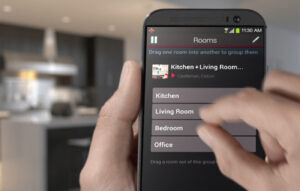
If you want to use HEOS on multiple devices, you shall create your own Denon account to save on time, and navigate hassle free between your PC, tablet or smartphone.
While Spotify works through Spotify Connect, the other applications appear within the HEOS application itself. If you want to send music to multiple speakers, you can easily set the desired configuration. The range is capable of playing 24bit / 192kHz music streams via wireless network or USB and also supports DSD up to 5.6MHz.
The only small downside is that the Settings panel is in the Music section, so for example, if you’re in Tidal and want to change your device settings, you have to quit it all the way. It would be better if settings were accessible a little easier.
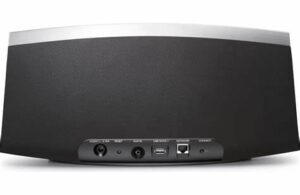
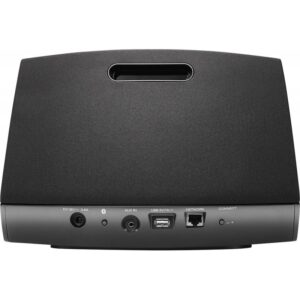
The HEOS 1 speaker was used during the test.
-
 Giga bass panel with membrane94 € – 129 € +Vat
 -
Striped Sound Diffuser 60x60x9cm108 € – 140 € +Vat




Sound
We tested the HEOS application in a smaller studio, where the acoustics were perfect, the printed sound-absorbing panels on the walls ensured the right ratio of basses, and the diffusers, completed with front panels, created an ideal sound. In the case of a studio, optimal acoustics are much more important, as the quality of sound recordings depends on them.
The HEOS system’s performance was truly impressive, an experience you wouldn’t want to miss. When used in smaller rooms, Denon recommends to turn down the bass in the EQ settings. The software handled the treble confidently, but lacked precision or fine dynamics.
Conclusion
The multi-room Home Entertainment Operating System together with the DENON speakers is not necessarily capable of the best quality sound, as it was lacking accuracy, dynamism and fun. The settings are very easy; you will connect and configure all devices very quickly, and a plethora of really impressive features awaits you.
G.H.
Written by Róbert Polgár