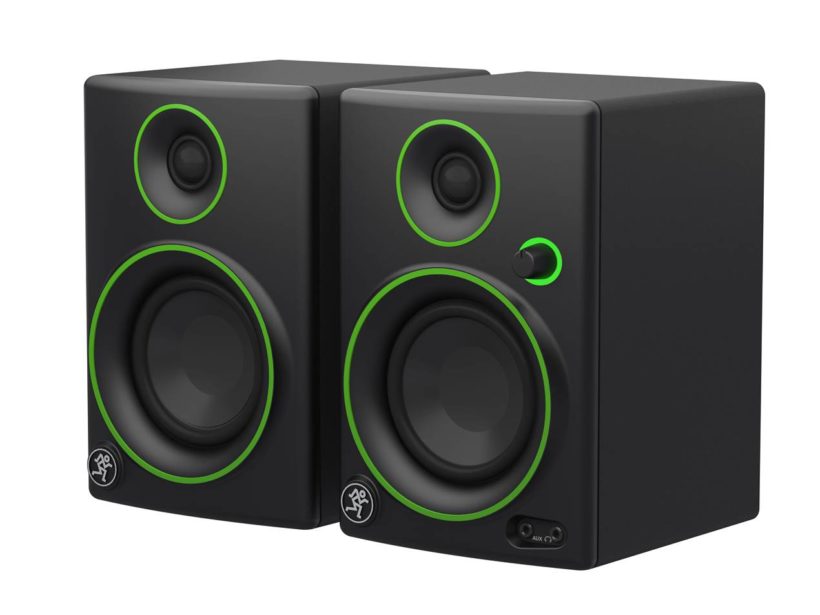
We have tested the Mackie CR3 studio monitor!
The American audio and hi-fi company Mackie was founded in 1988 in Seattle. The CR3 model is one of the many affordable studio monitors made by Mackie.
Quick overview of the Mackie C3:
This studio speaker is a great choice for recording sound, it does an excellent job in smaller studios. Can also be used for audio and video editing tasks. It is not balled up either when connected to a multimedia system or used for DJ work. This type of speaker is one of the best priced studio monitors currently on the market.
The inputs are located on the front of the speaker for easier access, yet despite its compact size, it is capable of serious volume.
Unfortunately, it also has drawbacks; the most prominent of which is perhaps the manufacturing quality, which lags slightly behind other, more expensive studio monitors. The sound quality is not bad, but it is not the best when set against other brands’ speakers. Regrettably, basses are not strong enough.
-
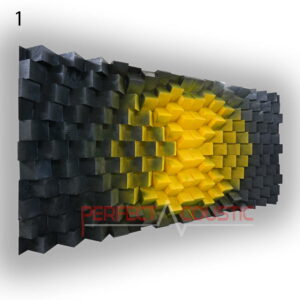
 Wall Panel – Diffuser 140x70x8cm235 € – 271 € +Vat
 -
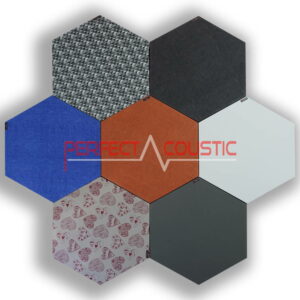
Hexagonal acoustic panel -Size: 60x60x6cm52 € – 61 € +Vat

Other information:
The C3 studio speakers provide a professional level experience when used in a small studio offering an extremely wide frequency between 80 Hz and 20 kHz. This frequency range is ideal to ensure an optimal sound experience. The speaker is located on the front of the studio monitor and has two input ports on the forward part. This makes it easy to connect the speakers to a headphone or to another device. The volume control on the front of the speaker also acts as a power button. The illuminated power ring is used to indicate the current power status of the speaker.
The CR3 also acts as a speaker system that can be connected to both a multimedia system and a smartphone. These speakers are great for watching movies or playing video games.
Considerations for selecting studio monitors
Studio monitors play an important role in recording and processing sound. Therefore, we need to carefully consider what kind of studio monitor we are buying. Some studio monitors consist of two speakers, while others have only one speaker. If you want to use it in a studio, the two speakers are much more advantageous. You should also consider the types and quantities of inputs offered by the speakers. There are studio monitors that offer a more universal solution. This expands the possibilities for transmitting audio files through speakers. Notwithstanding, it is not a negligible fact to know where the speaker ports are located. If all the ports are on the back of the monitor, it may cause discomfort during use. The inputs on the front panel are great for connecting smartphones and headphones.
While testing, we also look at the frequency response range offered by the studio monitors for unabated accuracy and dynamics. Of course, the quality of the sound production also matters. Better quality of manufacturing means monitors last longer.
Testing the Mackie
According to the manufacturer, the Mackie CR3 offers high quality neutral sound at an affordable price. The compact 3-inch subwoofer is a good choice for a small studio or for those who don’t need exploding volumes and wall-shattering basses. This studio monitor is ideal for both beginners and professionals.
We tested the Mackie C3 speaker in a very small studio. The studio handled acoustics pretty well, creating practically perfect sound conditions. The smaller a room, the more acoustic problems we may encounter if we do not improve acoustics with sound-absorbing and diffuser panels. Everything was thought of in this little studio, so the echo was eliminated, the bass range did not prevail and sound problems due to over-attenuation thanks to QRD diffusers were also eliminated.
Sound quality
The mids and peaks were firm and lively, but the basses were sadly missing. Given the size of the monitor, this is not surprising. If someone insists on low frequencies, it is advisable to invest in a subwoofer as well.
Ensuring good, even, neutral sound is critical for studio monitors. This is the reason why the C3 speakers are capable of surprising by the volume delivered compared to their size. The clarity was good at all volume levels, although it may not be satisfactory for those with no tin ears.
Design
The exterior design of the Mackie CR3 is acceptable, but not comparable to some of the more expensive monitors. They are rugged and offer decent performance, but their workmanship leaves something to be desired. At this price level do not expect much more than that. Moreover, we would like to point out that it is unlikely that these monitors will serve us for many decades…
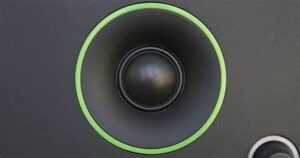
The CR3 box is covered with a matte vinyl coating, the green colour around the tweeter and subwoofer gives a pleasant, vibrant colour. The volume button is constantly lit, thankfully not too bright, so not disturbing even in the dark.
Specifications
The 3-inch subwoofer under the bonnet is great for smaller studios or in a living room. The 80 Hz and 20 kHz (-3 dB) frequency response allows the speakers to offer a good frequency range for clear sounding. At 97 dB, they are quite loud, especially considering their size.
All necessary cables are included with the speakers. The speaker housing is made of MDF and weighs just over 3.5 kg.
Tuning options
There is no tuning option on the Mackie CR3-X speakers. Any changes to the sound profile must be handled through the audio software.
-
 Giga bass panel with membrane94 € – 129 € +Vat
 -
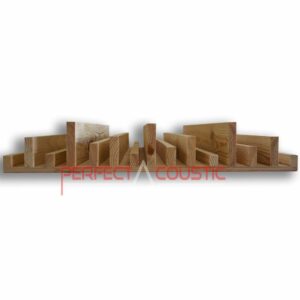
Striped Sound Diffuser 60x60x9cm108 € – 140 € +Vat



Connection options
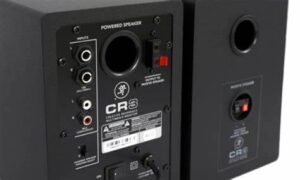
The front also offers a headphone input and an AUX input. Quickly connect your smartphone to the front of the speaker is rather a convenient solution.
The back cover offers both balanced and unbalanced connection options. The left and right selector switches are also located here. (Unfortunately, according to independent users opinion, these two selector switches often go wrong.) Nevertheless this option makes it edible to set whether the main speaker is on the left or on the right, hence providing maximum flexibility when placing the speakers in your studio.
Verdict
There is no denying that the sound of these speakers is quite decent, and despite the flaws they wrest back some smart features. It’s hard to find another pair of studio monitors at this price that offer as much as Mackie CR3 monitors.
The compact size allows them to be easily placed in small rooms. A small room doesn’t need a huge pair of speakers to fill in the space. However, if you happen to have a large studio, there is a need for larger studio monitors. Sound emitted by small monitors can be immediately lost in large spaces. If you want to fill the room at a decent volume, choose a larger monitor. Small monitors will quickly fail when it comes to performance if you listen to music at maximum volume for extended periods of time. When setting up your sound system, you should also make sure that most studio monitors are designed for proximity delivery. (Usually within one meter.) This does not mean that the studio monitor cannot produce a serious volume to fill an entire room. If you still want a better sounding speaker, one of the best alternatives is the KRK Rokit 5 G4 studio monitor.
Unfortunately, the C3 studio monitor does not excel in the deeper ranges, so if you want percussion bass, you might want to get a subwoofer as well.
G.H.
Written by Róbert Polgár